
Overview
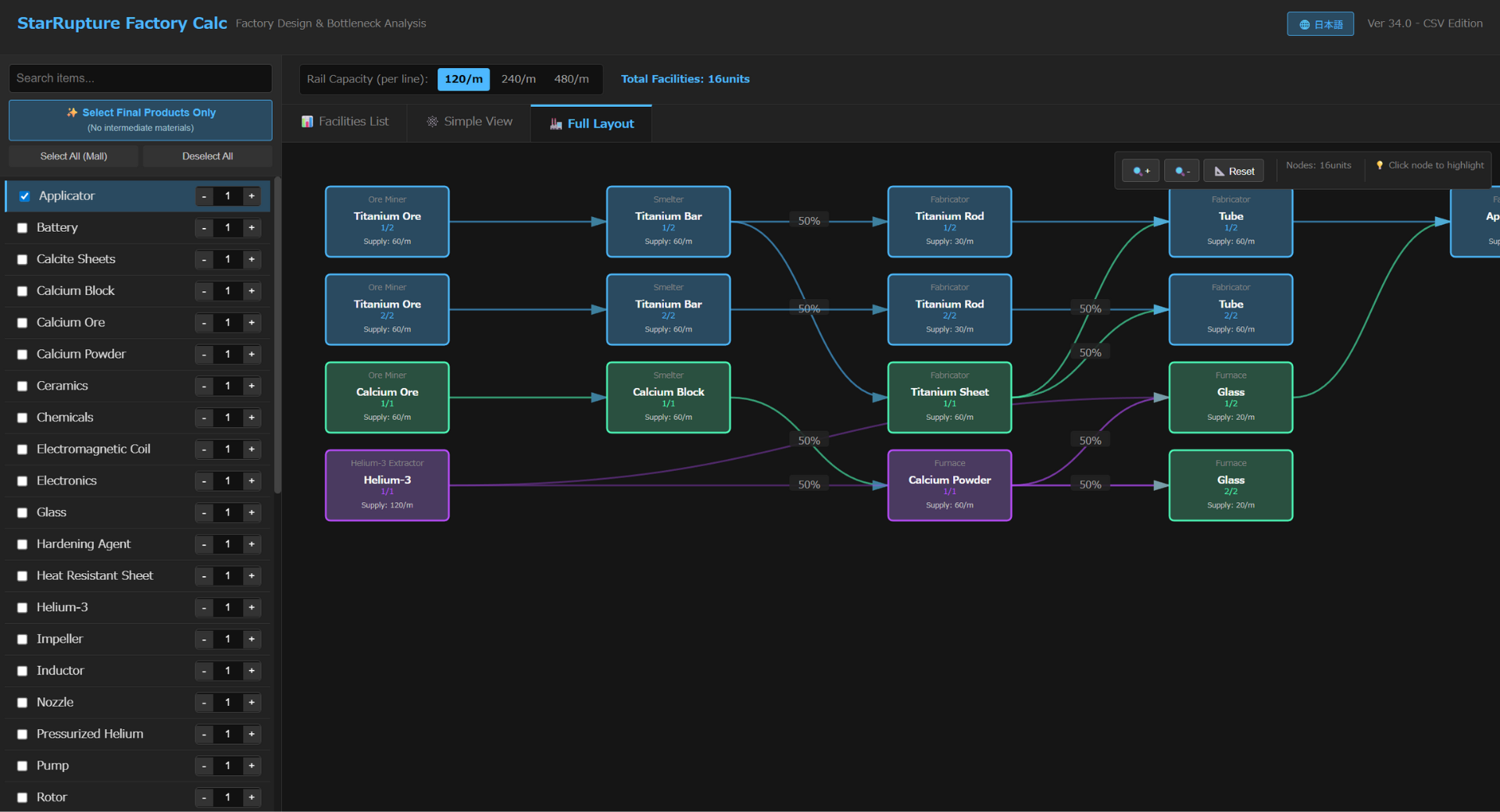
The StarRupture Production Planner is an essential tool for efficient factory design. It automatically calculates the exact number of facilities required for your target output and visualizes the entire production flow.
💡 Field-Tested: > Verified in-game. When set up according to the calculated quantities, production remains stable without supply bottlenecks.
How to Use
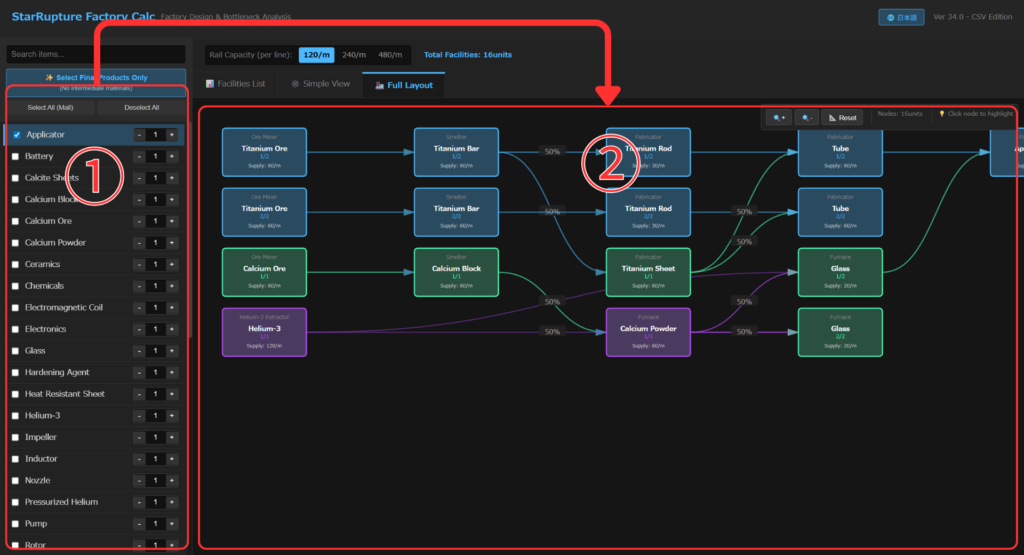
1. Set Your Target & View Requirements On the main dashboard, you can define your goals and instantly see the results.
- Set Your Target: On the left panel (①), set the desired production rate (units/min) for your target item.
- View Requirements: The right panel (②) instantly displays the number of facilities needed for each step.
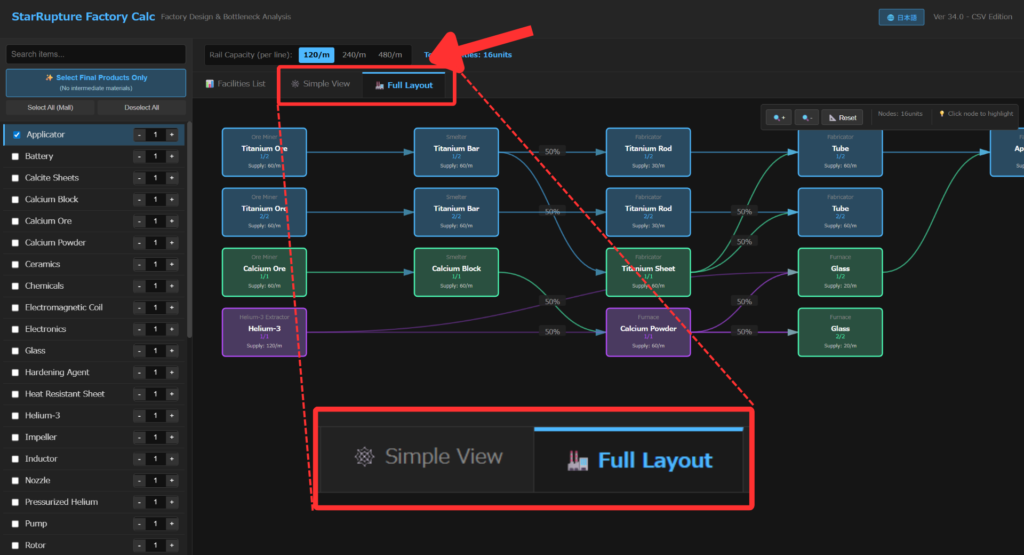
2. Visual Layout Mode
Card-and-Line View: Tired of looking at lists? Switch tabs to visualize your entire production line as a clean, interactive diagram with cards and connections. It’s the easiest way to see exactly how everything hooks up.
How to split production lines (External Supply)
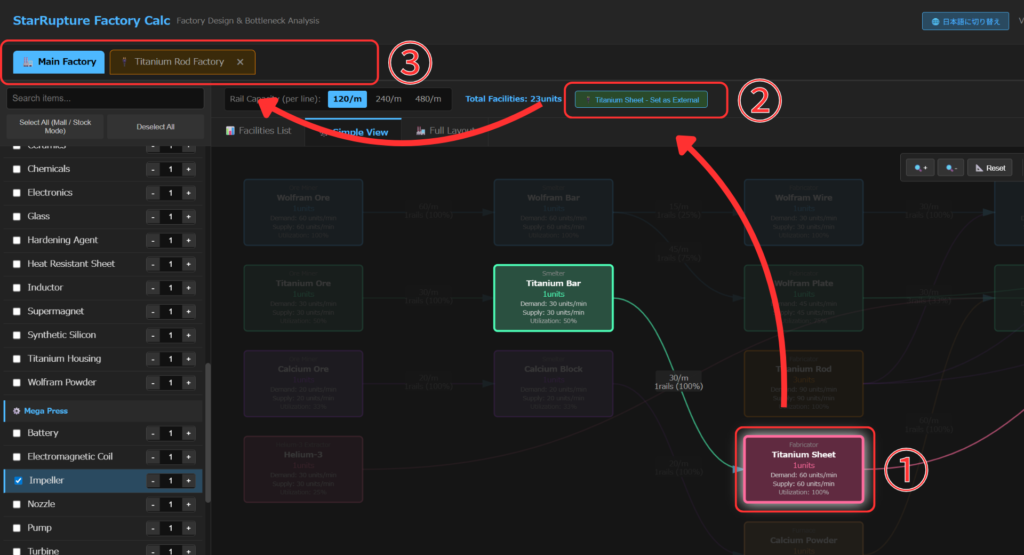
- Select any node you want to separate.
- Click “Set as External Supply” (or “External Source”) at the top.
- A new tab will be added, displaying it as a separate production line.
Core Features & Logic
Designed for Automated Production
This tool is optimized for items intended for continuous automated production.
- Note: One-time consumables (like specific ammo or basic construction materials) are excluded. We assume these are manually crafted or fed by raw materials alone.
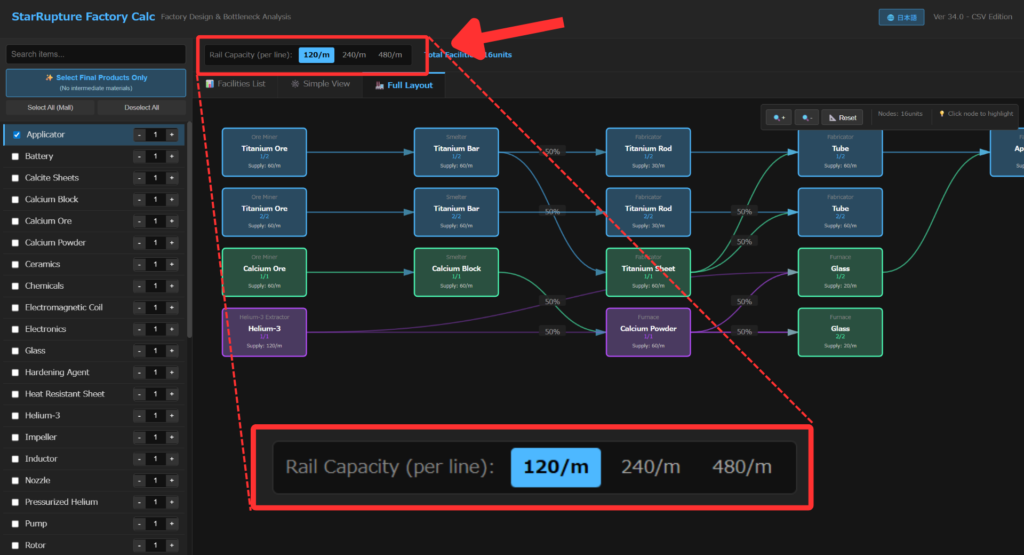
Rail Capacity Logic
You can set the Rail Level for your entire line. If the production volume exceeds the capacity of your current Rail Level, the calculator automatically adjusts by increasing the number of facilities to ensure the supply line never stalls.
Smart Rounding (Auto-Ceiling)
Since you can’t build “1.2 facilities” in-game, the tool automatically rounds up decimal results. If the math says 1.2, the tool displays 2 units to ensure your target output is met.


コメント